
vge-cc-guard: a security sidecar built specifically for Claude Code, now in public beta.
Why a sidecar for Claude Code
Every Claude Code session can read any file the developer can read, run almost any shell command, modify a repository, and fetch any URL on the open web.
That is exactly what makes the agent powerful, and it is also what makes a single bad call expensive. A leaked credential, malicious prompts injected into the model context, or an accidental commit to the wrong repository are no longer hypothetical.
What vge-cc-guard is
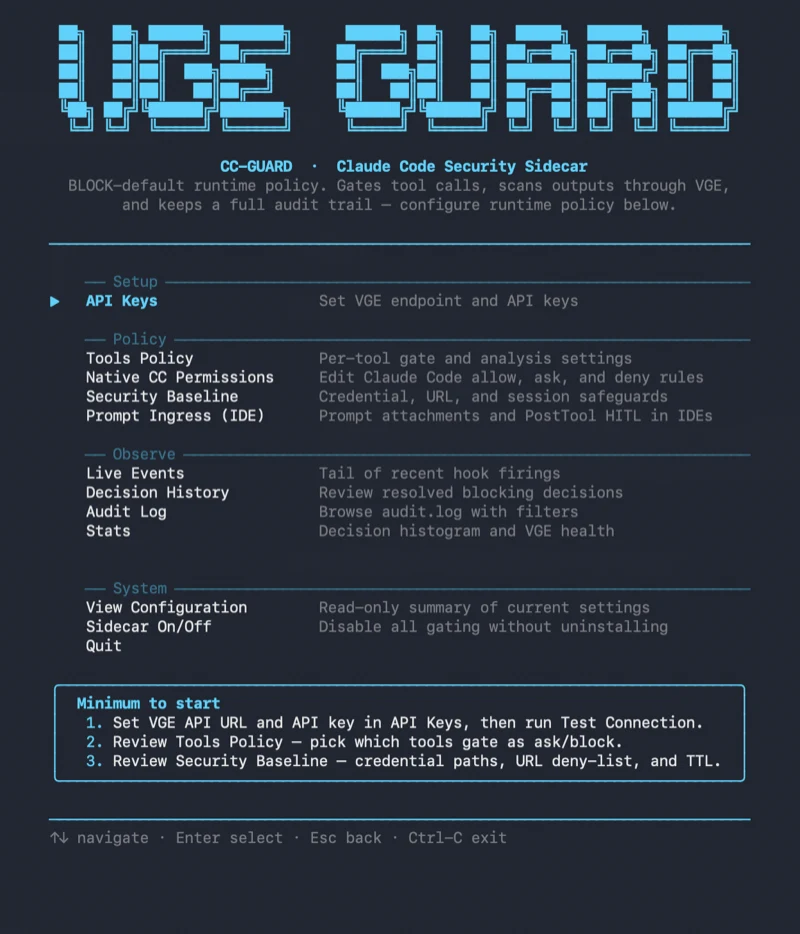
vge-cc-guard is a local sidecar for Claude Code. It runs alongside the agent on the developer's machine, gates every tool call before it executes, and screens every output before Claude reads it.
The default runtime policy is BLOCK. Trusted tools are opened explicitly.
Outputs flagged by Vigil Guard Enterprise (VGE) as prompt injection or a policy violation are quarantined behind a redacted placeholder. The original never reaches the model context.
What you get on day one
▪️ Your developers keep working the way they always have. Risky calls are stopped at the exact moment they would otherwise start.
▪️ Credentials stay where they belong. The deny-list covers .env, ~/.ssh, AWS, GCP, and kube right out of the box.
▪️ The open web stays in check. URL Access Baseline blocks cloud metadata endpoints and unsafe URL shapes before any fetch fires.
▪️ Compliance gets a clean audit trail. Every decision lands in a local JSONL log, and the raw blocked content is never stored.
▪️ Two commands to install, a terminal configurator, zero GUI dependency.
Tested on real sessions
Our team at Vigil Guard PSA has been running vge-cc-guard on its own Claude Code sessions for weeks now. It is already catching real attacks and the kind of everyday mistakes that would normally slip through unnoticed.
Now we want to see how it holds up under heavier load, in other environments, and with different workflows. The feedback we get from this beta will shape what the 1.0 release will look like.
Install today
Install in one command:
npm install -g @vigil-guard/vge-cc-guard
Then register the Claude Code hooks:
vge-cc-guard install --apply --scope=user
Product page, install guide PDF, and user guide PDF in EN and PL: vigilguard.ai/developers#vge-cc-guard
Early-access program
Alongside the public beta, we also run a closed early-access program. A few seats are still open in the program.
Members get to use vge-cc-guard in their daily work and share impressions, observations, or any bugs they spot directly with our team throughout the beta. Their input shapes the product's direction, the upcoming features, and how the security policies operate, all before the 1.0 release.
Once the program wraps up, members will also be eligible for preferential Vigil Guard Enterprise subscription terms when they later move to a commercial deployment.
Apply
Reach out via our contact form or by email at contact@vigilguard.ai.
We will be in touch.
Tomasz Bartel, CEO & Founder, Vigil Guard PSA